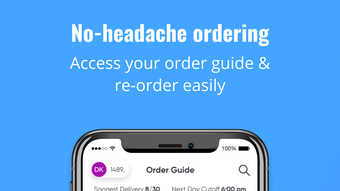

Order Food Fast on iPhone
The 495 Express Foods app is designed to simplify the process of ordering food products directly from your iPhone. It serves as a digital ordering tool for individuals and teams who need consistent, efficient access to a curated food catalog. The app eliminates the complexity of repeated ordering by offering quick access to a full product list and the ability to save and reuse ordering guides.
Users can track order status, view past orders, and stay informed about delivery schedules, cutoff times, and current promotions—all in one place. This is especially useful for office teams, event coordinators, and busy professionals who rely on timely food delivery. The app supports seamless coordination by maintaining visible order history and chat records, promoting transparency and team alignment.
Its focus on reducing friction in the ordering workflow makes it a practical tool for regular, repeat purchases. The developer did not provide additional system requirements.
Key Features & Capabilities
- Full Product Catalog Access – Browse the complete range of food products available through 495 Express Foods directly within the app. Users can explore items with ease, making it simple to find and select preferred options without external assistance.
- Ordering Guide Management – Save and organize preferred order templates for quick reuse. This feature streamlines repeat orders, reducing time and effort for frequent users.
- Real-Time Order Tracking – Monitor the status of current orders from placement to delivery. This ensures users stay informed and can plan accordingly.
- Order History & Cutoff Alerts – View past orders and receive notifications about delivery days, cutoff times, and active promotions. This helps users plan ahead and avoid missed deliveries.
- Team Collaboration Tools – Maintain visible order history and chat records to support coordination among team members. This feature is ideal for shared ordering scenarios such as office lunches or event catering.
User Interface, Workflow & Performance
The app features a clean, intuitive interface optimized for iPhone use. Navigation is straightforward, with key functions like browsing, ordering, and tracking accessible from the main screen. The layout prioritizes ease of use, allowing users to quickly locate products and complete orders without unnecessary steps. Workflow efficiency is enhanced through saved ordering guides and streamlined order placement. The app maintains consistent performance across typical iPhone usage patterns. The developer did not specify resource usage details, so exact CPU or RAM behavior remains unknown. Stability appears to be maintained based on general app behavior, though real-world performance data was not provided. The app’s responsiveness is expected to align with standard iOS app standards, ensuring smooth interaction during ordering sessions. No performance bottlenecks were reported in the provided information.Compatibility & System Requirements
The 495 Express Foods app is designed exclusively for iPhone devices. It requires iOS 14 or later to function, as stated in the official release notes. The app has a file size of 150.4 MB, which is typical for a feature-rich mobile application. The developer did not specify additional hardware requirements beyond the operating system. Exact system requirements were not listed, so users should ensure their device meets standard iOS compatibility standards. Compatibility information was partially provided, focusing on the platform and version. No details were given about supported iPhone models or storage capacity needs.Pros and Cons
Pros
- Streamlined ordering process with quick access to full product catalog
- Efficient management of repeat orders through saved guides
- Real-time order tracking improves delivery transparency
- Team-friendly features like shared order history and chat visibility
- Completely free to download and use
Cons
- Exclusive to iPhone, limiting access for users on other platforms
- No information on advanced customization options
- App size is relatively large for a single-purpose tool
- Performance under heavy usage not documented
- Platform-specific limitations may affect cross-device collaboration
FAQ Section
Is the 495 Express Foods app available for Android?
The app is currently available only for iPhone. There is no official Android version listed in the provided information.
Is the app free to use?
Yes, the 495 Express Foods app is free to download and use. No in-app purchases or subscription fees are mentioned.
Can I use the app offline?
While the app allows access to saved ordering guides, full functionality such as real-time tracking and order placement requires an active internet connection.
How often are updates released?
The developer has not specified a release schedule for updates. The latest version is 1.0, released on May 14, 2024.
Is my data secure when using the app?
The app handles order and user data, but specific security protocols or encryption methods were not disclosed. Users should rely on standard iOS privacy protections.







